iPhone · on the App Store — Android · in beta

CB radio, on your phone.

One channel, one range, one button. You press, you talk: the people around you hear you. No group to create, nobody to invite, nothing that lingers.

No account Nothing kept beyond 24 h Approximate location only

iPhone · App Store Android · Google Play, by invitation Apple Watch and Wear OS
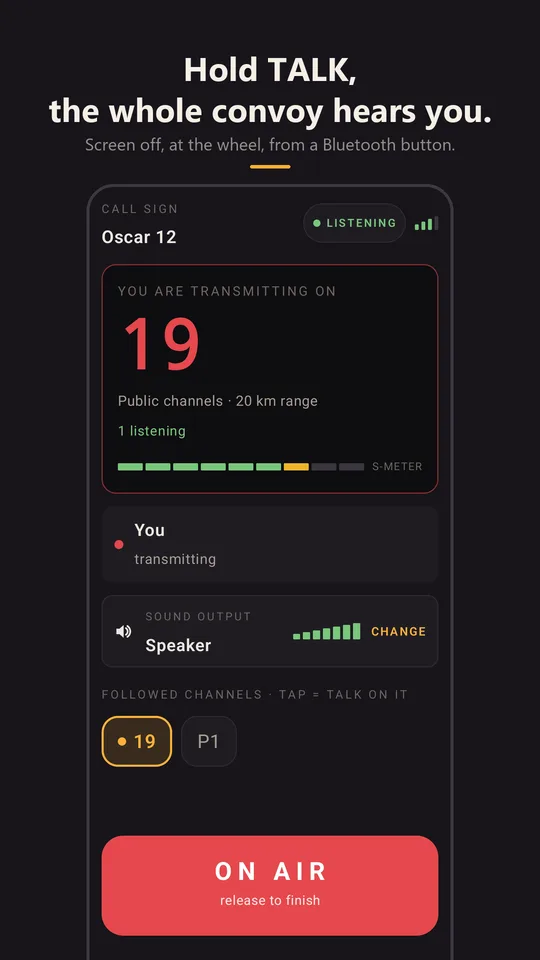
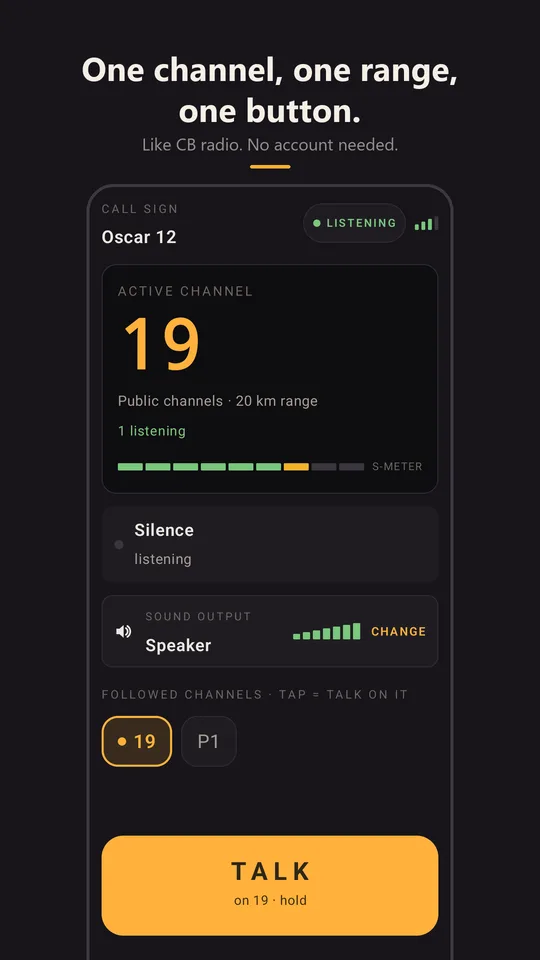
CALL SIGN · OSCAR 12
ACTIVE CHANNEL
19
Public channels · 20 km range
Michel · car 12talking on 19 · 00:06
● 199P1 · Convoy
TALKon 19 · hold

How it works

Just like CB, in three moves.

Messaging apps connect you to people you know. CB doesn't: you pick a channel and talk to whoever is there. That's all CitizenBand does.

1You pick a channel

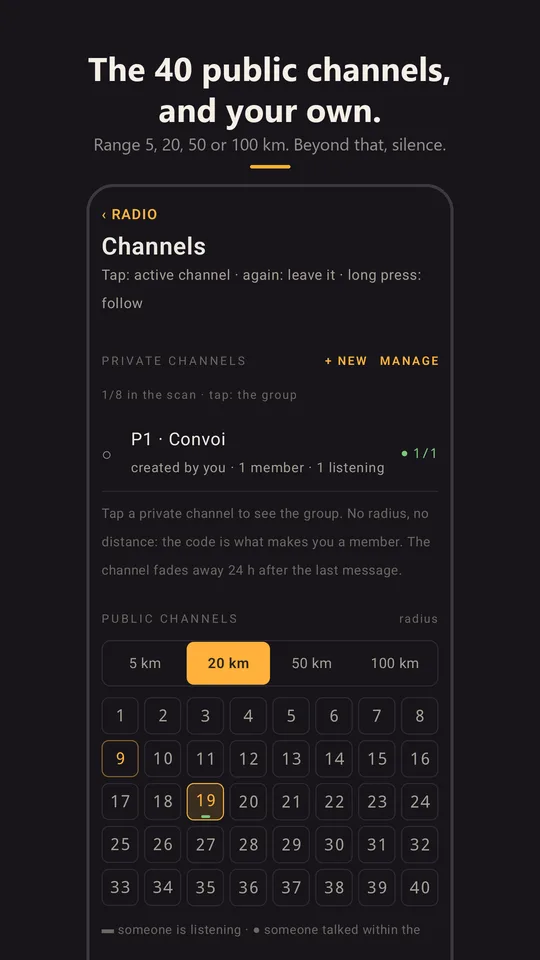
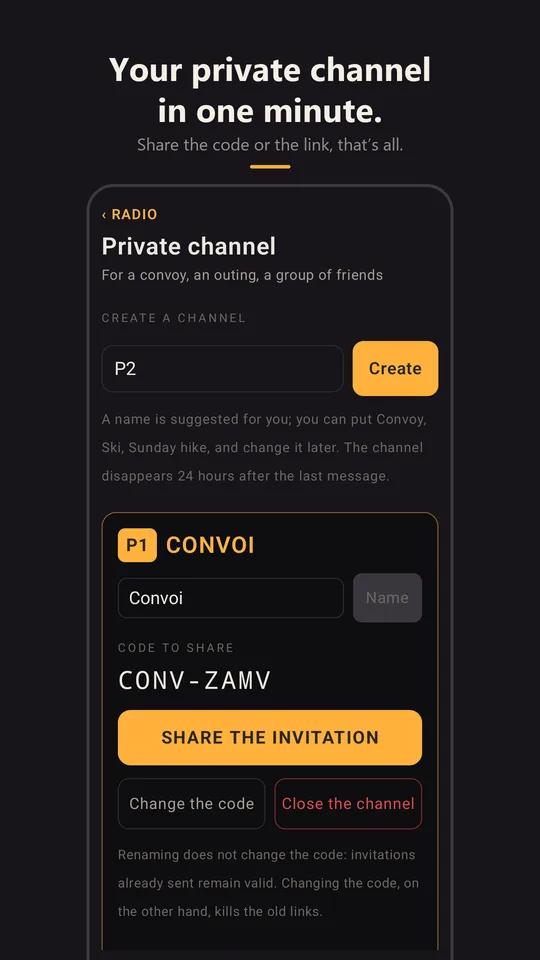
All 40 CB channels are there. 19 for the road, 9 for emergencies. Or your own, set up in a minute and shared by link.

2You choose how far you hear

5, 20, 50 or 100 km around you. Beyond that, silence, just like on the air.

3You press and you talk

On the screen, on a Bluetooth button or on your wrist. One person talks at a time, everyone hears. You let go, it's over, and nothing remains.

Uses

Wherever people are spread out and need to hear each other.

CB used to be only for the road. This one is for everyone who moves together without sharing a vehicle: on two wheels, on skis, in a convoy, on foot, at sea or on a work site. Seven scenes to show what it's for.

ON TWO WHEELS

The motorcycle road trip

Six bikes, three days, mountain passes. Everyone follows 19 for the road (traffic jams, loose gravel, closed roads) and the group channel, which has priority. The last rider says “stopping at the next gas station”: everyone hears it in their helmet, even the one three kilometres ahead. On the pass with no signal, the message waits and arrives “4 min ago”; you read it again at the break.

Two channels in the helmetGroup has priorityDelayedButton under gloves
IN THE MOUNTAINS

Skiing with friends

Eight people, three skill levels, two sides of the mountain. The 5 km range is the resort. The group has its channel: “meet at the summit restaurant at noon”, without calling eight times. The word “help” makes the phone insist from the bottom of a pocket. On 19, the other skiers on the slopes.

5 km rangeKeywordsWatchScreen off
IN A CONVOY

Motorhomes, 4×4s, classic cars

A convoy stretches over kilometres, and Bluetooth intercoms stop at 300 m. A channel created at the start, the link pasted into the group chat, and the first car warns the last: the exit, the fuel stop, the break.

Private channel in a minuteLight on dataDelayed
IN THE CAB

Truck drivers

27 MHz is empty on many routes. CitizenBand's channel 19 extends the cab: traffic jam, road closed, rest area full, the voice of the driver ten kilometres ahead. A call sign, a “loud and clear” radio check, numbered channels: CB culture, respected.

Channel 19Call signRadio checkTranscripts at the wheel
ON FOOT, RACING, AT SEA

Hiking, trail running, sailing

A group spread out, often without signal. The shared channel, messages that wait for the network to come back, and transcripts to read at the next stop. What was said during the outage is played back to you, with its time.

DelayedMessages kept 24 hTranscription
FOR A DAY

Volunteers

Market, festival, bike race, village fair: thirty people to coordinate without handing out walkie-talkies. An event channel, a QR code to scan, announcements that carry, and you can see who received them.

QRAnnouncementsRead receipts
AT WORK

Spread-out work

A harvest with three machines, a sprawling building site, an estate, a hunt. A permanent private channel for the team, with no equipment to buy or charge: the phone everyone already has.

Private channelNo equipmentScan
Travelling as a group? Create your channel, share the link: your group is set up in a minute.

The radio

Everything a CB can do. And what it never could.

THE 40 CHANNELS

Public, with a range

Channels 1 to 40, with a range of 5, 20, 50 or 100 km. 19 for the road, 9 for emergencies. Beyond the range, silence.

YOUR OWN

Private channels by link

Create one, share the link or the code, and your group is set. The channel lives as long as people talk on it, and fades away on its own.

SCANNING

Several channels in your ear

Up to eight channels followed at once, only one talking, with a priority. Emergency cuts through everything else.

RADIO CHECK

“Loud and clear”

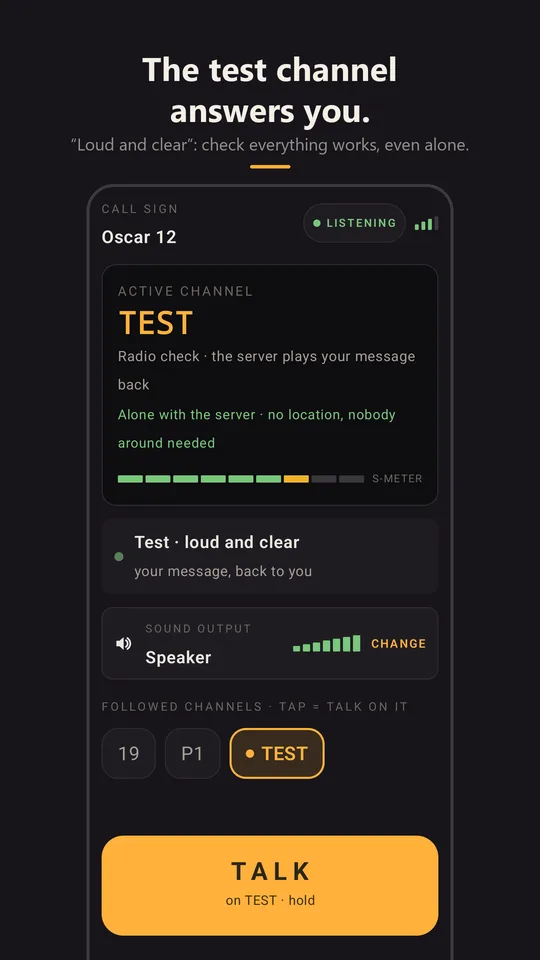
Nobody in range? The radio offers you a test: you talk, it plays your message back. Once it's “loud and clear”, one tap takes you back to your channel.

THE LAST HOUR

What was said here

You arrive somewhere new: tap the channel number, and what was said there in the last hour, around you, plays back — even what you weren't there to hear.

TRANSCRIBED, TRANSLATED

Read it when you can't listen

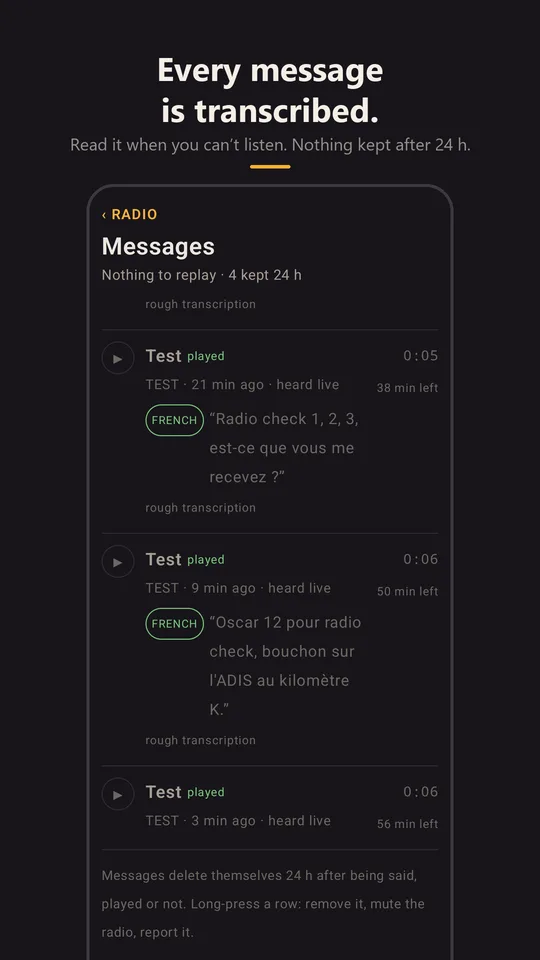
Every message is transcribed automatically, and translated on request. Driving or in a meeting, you read what you missed.

KEYWORDS

The assistant that alerts you

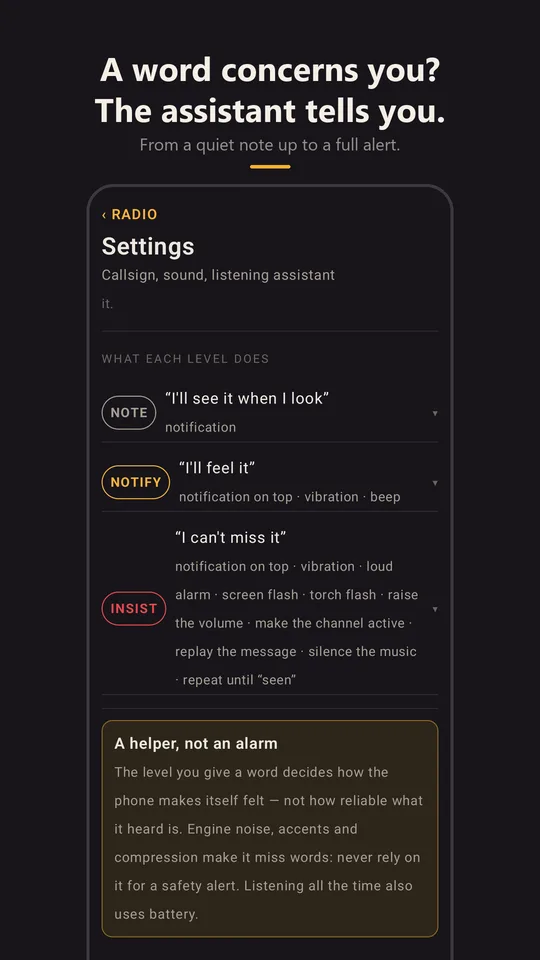
Your race number, “road closed”, the name of your pass: when a word that concerns you is spoken, a discreet note, or an alarm that breaks through silent mode.

RADIO OFF

Know when it comes alive

A notification when a channel you follow comes alive near you. You turn the radio back on, or not.

HANDS-FREE

Buttons, headsets, watch

AINA and Inrico handheld mics, Shokz or motorcycle headsets, Bluetooth buttons. And the watch on your wrist, Apple Watch or Wear OS, with its own microphone: gloves stay on. See the accessories

CALLS COME FIRST

Your phone is still a phone

During a call, the radio pauses, then plays back what was said. Music ducks when someone talks.

IN THE BACKGROUND

Screen off, in your pocket

The radio keeps listening with the screen off, for less than half a percent of battery per hour. Coarse location, no continuous GPS.

26 LANGUAGES

In yours

The app speaks 26 languages, and transcription understands yours. A French-Italian convoy reads in both.

LARGE SCREENS

Sideways, folded, standing

Turned sideways, the iPhone becomes a dashboard radio. On the iPhone Duo, closed it is a walkie-talkie, open a base station, half-folded a radio standing on the dashboard.

TWO PLATFORMS

Android and iPhone

Two native apps, the same radio, the same channels. An iPhone and an Android phone on the same private channel is the normal case.

Accessories

The phone stays in your pocket.

A real radio mic in your hand, a headset on your ears, a button on the handlebars: CitizenBand recognises these devices as soon as they connect to your phone over Bluetooth, and gives each of their buttons a role. Nothing to configure, nothing to pair a second time in the app.

HANDHELD MIC

AINA PTT Voice Responder

The handheld mic of professional radios, over Bluetooth: speaker, microphone, two large Talk buttons, an emergency button. Every button does something, and its LED follows the radio.

  • PTT 1Talk on the active channel. Hold it and you talk for as long as you hold; a short press opens the mic until you stop talking.
  • PTT 2Talk on a second channel, 19 by default (or the organisers' channel during an event), then come back to the active channel on its own. You choose it by tapping a channel; it shows in teal.
  • ◀  ▶Previous or next channel among the ones you follow. The mic tells you which one.
  • EMERGENCYHeld for 2 seconds: the event's emergency channel, otherwise channel 9, mic open. Afterwards you return to your channel.
  • ☎ shortPlay back what you missed in the last hour, oldest first. A second press stops.
  • ☎ 2 sSilent mode, or back to listening. When you leave silent mode, the mic tells you how many messages are waiting.
  • VOL ±Radio volume, without touching the phone's volume.
  • LEDRed when you talk, green when you receive, steady red in silent mode. The mic's battery shows on the radio and is announced at 20 % and again at 10 %.

Manufacturer: AINA, PTT Voice Responder

OPEN-EAR HEADSET

Shokz OpenComm

The bone-conduction headset with a boom mic: your ears stay free for the road, the wind or your colleagues, and you talk into the boom, not into the phone.

  • MULTIFUNCTIONOne press to talk. The boom mic opens, you talk, and it closes after two seconds of silence. A second press cuts it sooner.
  • VOL ±Radio volume while a message is playing.
  • BOOM MICThe headset mic is picked automatically, just for the length of your message. Music and calls aren't disturbed.
  • WAKING UPA Bluetooth headset waking from sleep swallows the start of the sound. The radio waits until it's really ready: you hear the first word, and the start beep.

The button goes to CitizenBand if it was the last audio or music app you used. Manufacturer: Shokz

ON YOUR WRIST

Apple Watch and Wear OS

The watch becomes a real radio, with its own microphone and speaker. The phone stays in your pocket or your bag and handles the link: nothing to configure, the watch follows the phone's radio.

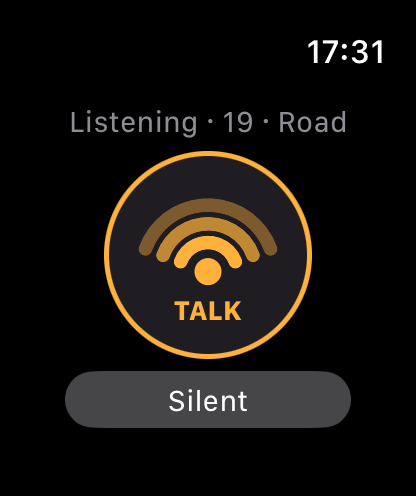
Apple Watch listening on channel 19, TALK button
Listening
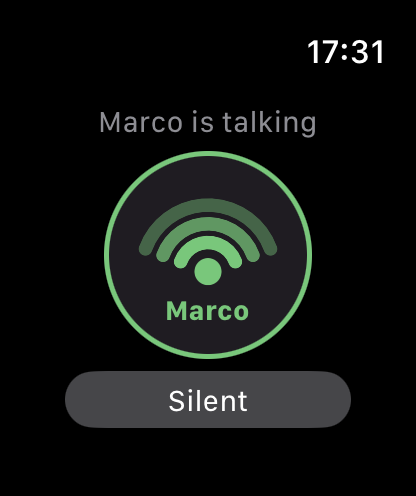
Apple Watch while Marco is talking, green button
Marco is talking
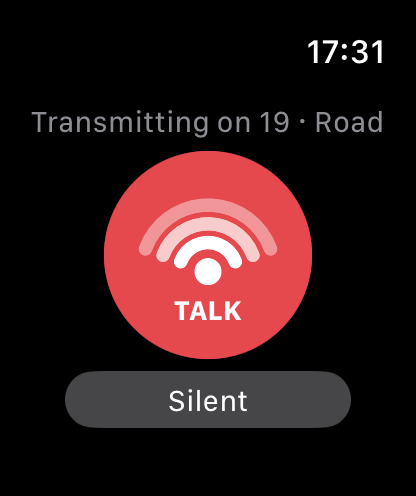
Apple Watch transmitting on 19, red button
You're transmitting
  • TALKYou talk into the watch. The big button turns red while you transmit, green when someone talks, and the watch vibrates instead of beeping.
  • SOUNDYou hear on the device you touched last: the watch if you just pressed on your wrist, the phone otherwise. If the watch drops out, the phone takes over without losing anything.
  • CROWNOne channel per page. The Apple Watch crown or the Wear OS bezel turns through your followed channels, one notch per channel, and the channel you land on becomes the active one.
  • MISSEDWhat you missed in the last hour, as a list (“4 min ago”), to play back on your wrist.
  • PRIVATEReply to whoever just talked, to them alone: the button stays for a minute after each message received.
  • SETTINGSOne level above the radio: silent mode, the radio check, and turning the radio off, with confirmation.
  • TURN ONRadio off? A button on the watch turns it back on, without taking out the phone.
  • ALERTA watched word is spoken: the watch vibrates at length and turns red, with “Seen” and “Replay”.
  • WATCH FACEYour channel at a glance: Smart Stack and complications on Apple Watch, tile and complication on Wear OS.

On iPhone, the watch app installs with the phone app. On Android, the Wear OS companion comes with the beta, through Google Play.

HANDHELD MIC

Inrico B01 / B02

Talk on the active channel, SOS on the emergency channel (9 outside an event), “Group” then V+ or V− to change channel, which the mic announces. The battery shows on the radio. Charge from a USB‑A socket.

MOTORCYCLE HEADSETS

Sena and intercoms

The helmet mic is used for the length of the transmission; a two-second press on the middle button opens the mic, silence closes it. Gloves stay on.

BLUETOOTH BUTTON

PTT‑Z01 Talk button

Mounts on handlebars or a steering wheel, paired in a minute in Settings › Talk button. Hold it to talk; even asleep, the first press wakes it and opens the mic.

No signal

On a mountain pass, the radio doesn't go dead.

CitizenBand runs over the mobile network: where there's nothing, nothing goes out live. But the app doesn't leave you staring at a dead screen, and the audio is light enough to get through where video no longer does.

You can still talk

Your message is kept, with the time and place you said it. It goes out when the network returns, marked “12 min ago, near Briançon”. If it has become too old to make sense, it's dropped, and the app tells you.

You catch up on what you missed

What was said during the outage is offered for playback, marked “delayed, 8 min ago”, so that a road closed and reopened in the meantime doesn't read like fresh news.

Privacy

Nothing lingers. Nobody knows where you are.

It's not a checkbox, it's the architecture.

No account

No email, no phone number, no password. You choose a call sign, like on the air.

Approximate location

The app never sends your coordinates, only an area of a few kilometres, just enough to know who is within your range.

Nothing that lingers

The server keeps your messages for 24 h, encrypted, so that people who were out of signal, on a call or driving can play them back. After that, they're gone.

Transcribed on our own server

The transcription engine runs on our server: your voice goes to no one else, and the text is deleted with the message.

Events

And for organisers, a made-to-measure CB.

A rally, a race, a convoy, a club ride: the organiser creates the event in a web console, with its own channels and a zone along the route. Crews scan a QR code at the briefing; there's nothing else to install, and no radios to hand out and collect.

Six channels ready, or your own

Announcements, race control, assistance, participants, emergency, spectators. Keep the ones you want, add more.

A zone along the route

A corridor drawn around the GPX road book: the event's channels carry there, and nowhere else.

An announcement channel that carries

Only the organisers talk on it, the whole field hears it, and the counter says “61 / 84 received”, with the list of those missing.

Several channels in your ear

Each crew follows the announcements and its own channel at the same time; emergency cuts through everything else. A rehearsal the day before, a debrief the day after.

Organising an event?

We're looking for a first real event, small, with an organiser we can reach and their radios kept as plan B. We set it up, we're on site, and we keep nothing of what's said. Write to us.

About us

An independent publisher, in Paris.

CitizenBand is designed and built by Solobisoft, an independent software publisher based in Paris, which also makes Makitso, a call management environment, and companion apps for SAP. One person writes the code, from scoping to delivery: that's who answers you.

No ads, no reselling

CitizenBand doesn't ask you for an account and keeps nothing beyond 24 h. There's nothing to resell, and that's by design.

Hosted in the European Union

The server runs in Europe, on a machine we manage ourselves.

A direct answer

A question, a problem, an idea: you write to the person who wrote the code, and they answer you.

Install

Try the radio.

On iPhone, CitizenBand Radio is on the App Store, free, with its Apple Watch app. On Android it's still in beta: send an email and you'll get the Google Play invitation.

iPhone

On the App Store. The Apple Watch app comes with it.

Android

Through Google Play, internal testing, by invitation. Updates arrive on their own.